Best Fish Finders for New Hampshire Lakes
There’s nothing quite as frustrating as heading out onto one of New Hampshire's stunning lakes, full of hope, only to spend hours casting into what feels like an empty abyss. You know the fish are there, but finding them can sometimes feel like trying to locate a needle in a haystack – especially when they're holding tight to subtle structure or suspended in deep water. This comprehensive guide is here to help you cut through that frustration, diving deep into how the best fish finders can transform your angling success across New Hampshire's diverse waterways, from the vast expanses of Lake Winnipesaukee to the smaller, intimate ponds and rivers.
Why a Fish Finder is a Game Changer for New Hampshire Anglers
Let's be real: gone are the days when a true angler relied solely on intuition and luck. While those certainly play a part, modern technology, specifically a good fish finder, gives you an undeniable edge. Imagine knowing exactly where that submerged rock pile is, or seeing the thermocline where cold-water fish like lake trout are holding, without ever dropping a line. In New Hampshire, where our lakes can be incredibly deep and varied, this isn't just a luxury; it's often a necessity for consistent success. It saves you time, fuel, and most importantly, it puts you on fish.
Understanding Lake Topography
Many of New Hampshire's lakes, especially the larger ones like Lake Winnipesaukee or Newfound Lake, have incredibly complex underwater landscapes. We're talking about sharp drop-offs, expansive flats, humps, ridges, and old river channels – all hidden beneath the surface. Without a fish finder, you're essentially blind to these crucial details. A quality fish finder acts like an underwater X-ray, allowing you to "see" the contours of the lakebed.
Think about it: bass love structure, whether it’s a rocky point or a submerged timber pile. Lake trout will patrol deep ledges or suspend over vast depths. Trying to find these features by simply drifting and casting is incredibly inefficient. With a fish finder, you can motor over an area, interpret the bottom composition, identify changes in depth, and pinpoint those structure elements that scream "fish hangout." This not only helps you find fish but also helps you understand why they are there, which is key to becoming a better angler in the long run. It's about building a mental map of the lake, one submerged feature at a time, turning guesswork into informed strategy.
Locating Key Fish Habitats
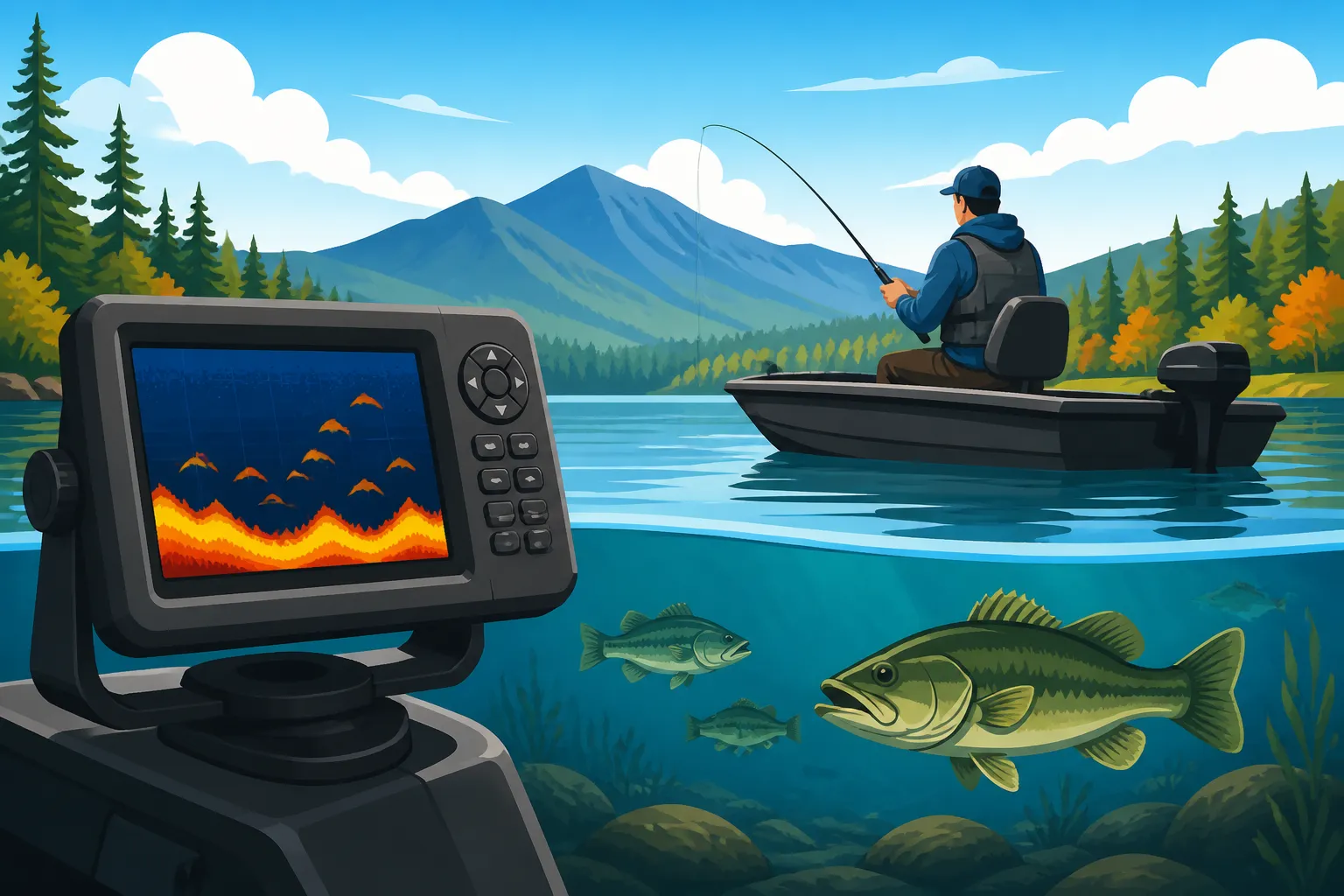
Beyond just seeing the bottom, a fish finder's primary magic lies in its ability to show you what's between the surface and the bottom. Those little arches or blobs on the screen? Those are fish! But it's more nuanced than just seeing a fish symbol. A sophisticated unit can reveal baitfish schools, individual trophy fish, and even how fish are relating to the structure you've identified. For example, if you're targeting smallmouth bass, seeing them hovering just above a rocky hump tells you exactly where to cast your tube jig or drop shot rig.
For species like landlocked salmon or lake trout, which often suspend in the water column over deep water, a fish finder is indispensable. You might be trolling over 100 feet of water, and your fish finder could show you a school of smelt at 40 feet, with larger arcs (the salmon or lake trout) right below them. Without that information, you'd be blindly setting your downriggers and lines. Moreover, understanding thermoclines – those layers where water temperature changes dramatically – is crucial for cold-water species, and many modern fish finders can help you identify these depth zones, ensuring your lure is presented in the most productive part of the water column. This detailed insight into underwater life makes your fishing trips significantly more productive and enjoyable. If you want to refine your approach, check out our guide on How to Catch Lake Trout in New Hampshire.
Key Features to Look for in a Fish Finder
Choosing a fish finder can feel overwhelming with all the jargon and various models out there. However, for fishing in New Hampshire lakes, certain features stand out as particularly important. You need to consider what kind of fishing you primarily do, your budget, and how much technical detail you want to see. Don't worry, we'll break down the essentials so you can make an informed decision.
Sonar Technology: CHIRP, DownScan, SideScan
This is where the real magic happens. Different sonar technologies offer different "views" of the underwater world, each with its own advantages:
- Traditional Sonar (2D Sonar/Broadband Sonar): This is the classic view, showing you arches (fish) and bottom contours. It's great for marking fish directly beneath your boat and for detecting suspended fish. High-frequency traditional sonar offers better detail, while lower frequencies penetrate deeper. Most basic units will have excellent 2D sonar. It's your bread-and-butter for quickly scanning a water column.
- CHIRP Sonar: This is an improvement over traditional sonar. Instead of sending out a single frequency pulse, CHIRP (Compressed High-Intensity Radiated Pulse) sends a range of frequencies, from low to high, with each pulse. This results in much clearer, more defined target separation, less noise, and better depth penetration. With CHIRP, fish arches are more distinct, and you can often differentiate between individual fish in a school or even see your lure dropping towards a fish. For serious anglers targeting specific species, CHIRP is a must-have for its superior clarity and detail.
- DownScan Imaging (or DownVu/ClearVu): This technology provides a photo-like image of what's directly below your boat. Instead of arches, you'll see actual images of submerged trees, rocks, ledges, and even baitfish and game fish. It's fantastic for identifying structure with incredible detail and seeing how fish are relating to that structure. You can easily differentiate between a log and a rock pile, or see fish tucked right into the cover. It’s a game-changer for working specific pieces of structure, especially when targeting bass.
- SideScan Imaging (or SideVu/StructureScan): If DownScan is like looking straight down with a camera, SideScan is like having cameras looking out to the sides of your boat. This technology allows you to scan wide swaths of water (up to several hundred feet on each side) to find structure and fish without having to drive directly over them. Imagine covering a huge flat for smallmouth bass or searching for submerged humps quickly. It's incredibly efficient for scouting new areas or locating offshore structure that might be missed with traditional sonar or DownScan alone. However, it usually requires a dedicated transducer and can be more expensive.
For fishing New Hampshire's lakes, a combination of CHIRP and DownScan will cover most anglers' needs exceptionally well, offering both clarity in the water column and detailed imagery of the bottom. SideScan becomes invaluable for those who frequently fish large, unfamiliar waters and want to cover a lot of ground quickly, such as when you're searching for specific points or drop-offs on Lake Winnipesaukee Fishing Guide.
GPS and Mapping Capabilities
A fish finder isn't just about finding fish; it's also about finding your way and marking those productive spots so you can return to them. This is where GPS and mapping become absolutely vital, especially on larger, more complex lakes.
- GPS (Global Positioning System): Almost all modern fish finders integrate GPS. This allows you to see your boat's position on a map, measure your speed, and track your movement. More importantly, it allows you to save waypoints – specific locations where you caught a fish, found promising structure, or identified a baitfish school. Imagine catching a lunker smallmouth off a submerged point on Squam Lake; with GPS, you can mark that spot and easily return to it next time. It also helps you navigate safely, especially in foggy conditions or unfamiliar waters.
- Mapping Capabilities: Many fish finders come pre-loaded with detailed mapping for various lakes and coastal areas. For New Hampshire, you’ll want units that offer high-definition contour maps of our freshwater lakes. These maps show depth contours, navigation aids, and sometimes even points of interest like boat ramps or hazards. Some advanced systems allow you to create your own custom contour maps in real-time as you motor around, which is fantastic for mapping smaller, lesser-known ponds or finding subtle depth changes on big lakes not fully charted. Having detailed charts like those from Navionics or C-MAP on your unit means you can plan your attack before you even launch the boat, identifying potential hotspots based on underwater topography. This combination of GPS and detailed mapping is crucial for efficiency and repeat success, turning a one-time catch into a consistently productive spot. When you find a productive area, you can then focus on How to Catch Smallmouth Bass in New Hampshire Lakes in that specific location.
Screen Size and Resolution
Let's talk about what you're actually looking at – the screen. A good screen can make all the difference in how easily you interpret the sonar data and navigate the maps, especially under varying light conditions or when bouncing around on choppy water.
- Screen Size: Fish finder screens range from small 3-inch displays on portable units to massive 16-inch multi-function displays on high-end console units. For most kayak or small boat anglers on New Hampshire's lakes, a screen in the 5-7 inch range offers a good balance of visibility and space without being overly bulky. If you're on a larger bass boat or pontoon, an 8-10 inch screen or even larger can be a huge advantage, allowing you to view multiple sonar technologies or a map and sonar side-by-side without squinting. Remember, a larger screen makes it easier to pick out subtle details in the sonar return and differentiate fish from structure.
- Resolution: This refers to the number of pixels on the screen (e.g., 800×480, 1024×768). Higher resolution means a sharper, clearer image. Just like with a TV or computer monitor, more pixels equate to finer detail. A low-resolution screen can make fish arches look blocky, and detailed DownScan images might appear pixelated, making it harder to discern specific features. A high-resolution display will present your CHIRP, DownScan, and SideScan images with stunning clarity, making it much easier to identify fish, distinguish between different types of bait, and interpret the subtleties of the lakebed. For example, a crisp DownScan image can show individual branches on a submerged tree, which could be critical for placing your lure. Always try to get the highest resolution you can afford for the screen size you choose, as it directly impacts your ability to understand what your fish finder is telling you.
Types of Fish Finders for Different New Hampshire Fishing Styles
New Hampshire offers a diverse range of fishing opportunities, from trolling the deep waters of Lake Winnipesaukee in a powerboat to paddling quiet ponds in a kayak, or even drilling holes on a frozen lake for some ice fishing. Naturally, one size doesn't fit all when it comes to fish finders. The type of fish finder that's best for you will heavily depend on your primary mode of fishing.
Portable and Castable Units for Shore and Kayak Anglers
For those who fish from the bank, a canoe, or a kayak, traditional boat-mounted units just aren't practical. Thankfully, there are excellent options tailored for this mobile, often minimalist, approach.
- Castable Fish Finders: These small, spherical devices are designed to be cast out with a fishing rod (often requiring a medium-heavy setup due to their weight). They connect wirelessly via Wi-Fi or Bluetooth to your smartphone or tablet, which acts as the display. Brands like Deeper and Lowrance offer popular models. These are incredibly convenient for shore anglers, allowing you to scout an area from a distance, identify drop-offs, and locate fish before you even make your first cast. For kayak anglers, you can cast them around your paddling path, or even attach them to a small tether to get a constant reading as you paddle. They typically offer traditional 2D sonar and some even include basic GPS to mark spots on your phone's map. While they don't have the same power or screen size as dedicated units, their portability is unmatched, making them perfect for exploring those smaller, less-fished ponds and rivers. If you're a kayak angler, you'll also want to look at our guide on Best Kayaks for New Hampshire Fishing.
- Portable Mount Units: These units are essentially standard fish finder heads mounted on a portable base, often with a small, self-contained battery and a suction-cup or clamp-on transducer. These are fantastic for small boats, canoes, or kayaks where permanent installation isn't desired or possible. You can easily move them from one vessel to another, or even use them as backup units. They offer more robust sonar capabilities (often including CHIRP and DownScan) and larger, dedicated screens than castable units. Many popular brands like Humminbird and Garmin offer excellent portable options. The convenience of being able to grab your unit and go, without worrying about wiring or drilling, makes them a favorite for many New Hampshire anglers who fish a variety of waters and craft. You can easily deploy the transducer over the side, power it up, and start scanning, making them a versatile choice for anglers who like flexibility.
Console-Mount Units for Power Boaters
If you're operating a larger fishing boat, bass boat, or pontoon on New Hampshire's vast lakes, a console-mount unit is the gold standard. These are designed for permanent installation and offer the most powerful and feature-rich experience.
- Dedicated Fish Finder Units: These are standalone units primarily focused on sonar performance. They typically boast large, high-resolution screens and can integrate multiple sonar technologies like CHIRP, DownScan, and SideScan. They are powered directly by your boat's electrical system, ensuring consistent performance. These units are perfect for anglers who want the best possible view of the underwater world, whether they're trolling for salmon on Sunapee or chasing bass on Winnipesaukee. They allow you to dial in your settings, fine-tune sensitivity, and get the most detailed information possible.
- Multi-Function Displays (MFDs): Many modern console-mount units are MFDs, meaning they combine a fish finder, GPS chartplotter, and sometimes even radar or engine monitoring into one cohesive system. These are incredibly powerful, allowing you to split your screen to view sonar and map simultaneously, or switch between different views with ease. They often have robust network capabilities, allowing them to connect with other devices on your boat, like trolling motors or shallow water anchors, creating an integrated system. While a larger initial investment, MFDs offer unparalleled versatility and control, making them a top choice for serious anglers who spend a lot of time on big water. Brands like Lowrance, Humminbird, and Garmin excel in this category. You can find many of these sophisticated systems at major retailers like Bass Pro Shops, where you can compare features side-by-side. For navigating larger bodies of water, this comprehensive setup is crucial, especially when trying to understand the full scope of Best Fishing Lakes in New Hampshire.
Dedicated Ice Fishing Flashers and Sonar
Ice fishing is a distinct discipline, and the best fish finders for this pursuit are also specialized. Traditional open-water units don't always translate perfectly to fishing through a small hole in the ice, especially for real-time, instantaneous feedback.
- Flashers: The classic ice fishing flasher (like those from Vexilar or Marcum) displays sonar returns in real-time on a circular, multi-colored display. This analog-style readout is incredibly fast, showing you exactly where your bait is, where the bottom is, and where fish are, all in fractions of a second. This rapid update speed is critical for ice fishing, as you often need to react instantly to a fish approaching or retreating from your lure. Different colors indicate signal strength, helping you differentiate between a light jig and a large fish. They're also extremely durable and perform well in cold temperatures. Many seasoned New Hampshire ice anglers swear by flashers for their simplicity and lightning-fast feedback. When you're jigging for perch or lake trout, knowing exactly how fish react to your presentation right now is invaluable.
- Ice Fishing Sonar Units (Digital Flashers/Panoptix-style): Modern technology has also brought digital screens to the ice fishing world, often referred to as "digital flashers." These units combine the real-time responsiveness of a flasher with the detailed display of open-water sonar. Brands like Garmin and Lowrance offer bundles that include a portable head unit, an ice transducer, and a carrying case. Some even incorporate advanced technologies like LiveScope or Panoptix, which provide a live, real-time "video" of what's happening under the ice, allowing you to see your lure and fish moving in three dimensions around your hole. This is revolutionary for identifying fish and observing their behavior, helping you adjust your jigging style or bait presentation on the fly. While generally more expensive than traditional flashers, these digital units offer an incredible amount of information, making them popular for anglers targeting elusive species like Lake Winnipesaukee Lake Trout Fishing through the ice. For more specific gear recommendations, be sure to read our guide on Best Ice Fishing Gear for New Hampshire.
Understanding Transducers and Their Importance
The transducer is often called the "eye" of your fish finder, and for good reason. It's the component that sends out the sonar waves and receives the echoes, translating them into the images you see on your screen. No matter how advanced your head unit is, if your transducer isn't properly matched to your fishing environment or correctly installed, you won't get optimal performance. It's truly a critical piece of the puzzle.
Through-Hull vs. Transom-Mount vs. Trolling Motor Mount
The way your transducer is mounted significantly impacts its performance and suitability for different boats and fishing styles.
- Transom-Mount Transducers: This is by far the most common type of installation for small to medium-sized boats. The transducer is mounted on the transom (the flat back) of your boat, just below the waterline. It's relatively easy to install, often requiring only a few screws and some careful alignment. The main advantage is that it's outside the boat, so it doesn't need to shoot through the hull material. However, it can be prone to "cavitation" (aerated water disrupting the sonar signal) at higher speeds, especially if not installed perfectly. For most casual to serious anglers in New Hampshire, especially on open-water bass or trout boats, a transom mount is an excellent and practical choice.
- Through-Hull Transducers: As the name suggests, this type of transducer is installed by drilling a hole through the bottom of your boat's hull. The transducer is then flush-mounted, with the face exposed to the water. This provides the cleanest possible signal, as it's typically below the turbulent water created by the boat's hull, making it ideal for high-speed readings and deep-water applications. They are highly favored for larger, faster boats or those fishing very deep New Hampshire lakes like Sunapee, where maintaining a clear signal at speed is paramount. The downside is the more complex and permanent installation, which often requires professional help and is a bigger commitment than a transom mount.
- In-Hull Transducers: Similar to through-hull, these transducers are mounted inside the hull, typically epoxied to the bottom of the boat. The sonar signal then shoots through the fiberglass hull. This offers the advantage of no holes drilled in the boat and no exposed components, making it great for trailered boats where transducer damage is a concern. However, the signal will be slightly weaker and clarity reduced compared to a direct water connection, and they generally don't work with SideScan or DownScan imaging. They are primarily used for traditional 2D sonar. They are often chosen for smaller fiberglass boats where ease of installation outweighs the slight signal compromise.
- Trolling Motor Mount Transducers: For anglers who use a bow-mount electric trolling motor extensively (which is common for bass and crappie fishing), a transducer integrated into or mounted directly to the trolling motor is an excellent option. This keeps the transducer close to where you're fishing and provides a clear view, especially when navigating shallow water or targeting specific structure with your trolling motor. Many advanced imaging systems like Humminbird's MEGA Live or Garmin's LiveScope are designed to be mounted on a trolling motor, allowing for forward- and down-looking real-time views. This is incredibly effective for sight fishing or pinpointing structure ahead of your boat, giving you an advantage when stealth is key.
Beam Angle and Frequency
These two technical specifications are crucial for understanding what your transducer "sees" and how clearly.
-
Frequency: Sonar transducers operate at various frequencies, typically measured in kilohertz (kHz).
- High Frequencies (e.g., 200 kHz, 455 kHz, 800 kHz, 1.2 MHz): These provide excellent detail and target separation, making it easier to distinguish individual fish or discern subtle bottom features. They are great for shallower water and identifying baitfish schools. However, high frequencies don't penetrate as deeply and can be more susceptible to signal loss in murky water. SideScan and DownScan imaging typically use very high frequencies for their photo-like detail.
- Low Frequencies (e.g., 50 kHz, 83 kHz): These frequencies offer much better depth penetration, making them ideal for fishing deep lakes. They are also less affected by water conditions like murkiness. The trade-off is less detail and target separation; fish might appear as blobs rather than distinct arches.
- CHIRP Sonar: As mentioned, CHIRP technology sweeps through a range of frequencies, combining the benefits of both high and low frequencies to provide superior detail and depth performance simultaneously. It’s a significant upgrade over single-frequency traditional sonar.
-
Beam Angle: This refers to the width of the cone of sonar waves emitted by the transducer.
- Narrow Beams (e.g., 6-20 degrees): A narrow beam provides high detail and is excellent for identifying structure directly beneath the boat. It's more precise for target separation but covers a smaller area. This is ideal for pinpointing individual fish or specific pieces of structure.
- Wide Beams (e.g., 40-60 degrees or more): A wider beam covers a much larger area of the water column and bottom. This is great for quickly scanning for fish over a broad area, making it easier to locate schools of baitfish or game fish. The trade-off is less detail and target separation, as the wide beam can pick up more interference and blend targets together.
- Dual-Beam/Multi-Beam Transducers: Many transducers offer multiple beam angles, allowing you to switch between them or view both simultaneously on your screen. This gives you the flexibility to use a wide beam for searching and a narrow beam for detailing. For instance, on a big New Hampshire lake, you might use a wide beam to quickly scan a flat for schooling fish and then switch to a narrow beam to precisely target them once found. Understanding these characteristics allows you to select a transducer that best suits the depth and target species you're pursuing, whether it's How to Catch Landlocked Salmon in New Hampshire in deep water or smallmouth bass in shallower rocky areas.
Integrating Your Fish Finder with New Hampshire Lake Maps
Having a fish finder that simply shows you what's under the boat is a good start, but when you combine that real-time sonar data with detailed mapping, your situational awareness and angling efficiency skyrocket. In the diverse and often vast waters of New Hampshire, integrating maps into your fish finder setup isn't just a nice-to-have; it's a critical tool for serious anglers.
Pre-loaded Maps and Custom Mapping
The quality and detail of the maps available for your fish finder can significantly impact your success, especially on unfamiliar waters.
- Pre-loaded Maps: Many reputable fish finder brands offer units with robust mapping already installed. These typically include detailed contour maps for thousands of lakes across the country, often with specific high-definition charts for popular fishing destinations like Lake Winnipesaukee, Squam Lake, or Newfound Lake. These pre-loaded maps will show you depth contours, navigation markers, boat ramps, and sometimes even points of interest. Having these detailed charts at your fingertips means you can spend less time guessing and more time fishing. Before you even leave the dock, you can study the contours, identify potential drop-offs, humps, and channels, and plan your fishing strategy. For example, if you're targeting smallmouth bass, you can zoom in on the map to find rocky points and submerged islands that aren't visible above the surface. These maps often include features like shaded depth ranges, allowing you to quickly identify specific depth zones.
- Custom Mapping (Genesis Live, AutoChart Live, etc.): This is where modern fish finders truly shine. Technologies like Lowrance's Genesis Live, Humminbird's AutoChart Live, or Garmin's Quickdraw Contours allow your fish finder to create custom, high-definition depth contour maps in real-time as you drive your boat. As your boat moves and the sonar pings the bottom, the unit collects data and instantly draws new, detailed contour lines on your screen. This is incredibly powerful for several reasons:
- Uncharted Waters: For smaller ponds, private lakes, or even sections of larger lakes that might not have high-definition commercial maps, you can create your own precise maps.
- Hyper-Detail: Even on well-charted lakes, you can often create more detailed contours with 1-foot increments, revealing subtle structure that commercial maps might miss. This can be key to finding those hidden ledges or small humps that hold trophy fish.
- Personalized Maps: These maps become your maps, filled with the specific details of the areas you fish most, giving you an unparalleled understanding of the underwater landscape. Imagine finding a small, unmapped rock pile and instantly having it appear on your screen with precise depth contours. This is an invaluable tool for any angler serious about mastering their local waters.
Waypoints, Routes, and Track Logs
Beyond simply showing you where you are, a fish finder with strong GPS and mapping functionality provides powerful navigational and record-keeping tools that can significantly enhance your fishing strategy.
- Waypoints: A waypoint is simply a saved location on your map. This is one of the most fundamental and useful features of any GPS-enabled fish finder. When you catch a fish, find a promising brush pile with DownScan, or spot a school of baitfish, you hit a button, and that exact spot is saved as a waypoint. You can then name it, add notes (e.g., "Big Bass on Spinnerbait," "Trout at 40 feet"), and easily navigate back to it on future trips. Over time, you'll build a library of productive waypoints, turning random luck into consistent success. This feature is indispensable for returning to those secret spots you worked so hard to find. You can even categorize waypoints, making it easy to sort through "Bass Spots," "Trout Holes," or "Crappie Beds."
- Routes: A route is a series of interconnected waypoints, essentially a pre-planned path. You can create routes to navigate complex channels, follow contour lines, or motor between a series of productive waypoints. For example, if you know a particular drop-off on Lake Winnipesaukee holds lake trout, you can create a route that follows that contour line at a specific depth, ensuring you stay in the strike zone. This is especially useful for trolling or for safely navigating unfamiliar areas with hazards. Routes save time and help you fish more efficiently, allowing you to focus on your presentation rather than constantly checking your bearing.
- Track Logs: As you move your boat, your fish finder with GPS constantly records your path, creating a "track log" or "trail" on the map. This line shows you exactly where you've been. This is incredibly useful for several reasons:
- Systematic Searching: You can see exactly what areas you've covered, preventing you from wasting time going over the same water twice.
- Identifying Productive Paths: If you have a particularly successful day, you can save that track log and review it later to understand the exact path you took. This helps you identify patterns and replicate successful movements.
- Avoiding Hazards: You can use track logs to retrace your path safely, especially in areas with submerged obstacles or narrow channels.
- Backtracking: If you get disoriented or lost, especially in a foggy morning on a large lake, your track log can be your lifeline, guiding you safely back to where you started. The ability to record and review these tracks helps you learn a body of water faster and make your fishing more strategic. It's an invaluable tool for improving your skills and understanding patterns in New Hampshire's diverse fishing environments. Consider how these features would complement your approach when reading about New Hampshire Boating Laws for Anglers.
Installation and Setup Considerations
You've picked out the perfect fish finder for your New Hampshire fishing adventures – congratulations! But the journey doesn't end there. Proper installation and setup are absolutely crucial to getting the best performance out of your new unit. A poorly installed transducer or incorrectly configured settings can render even the most expensive fish finder practically useless. This isn't just about plugging it in; it's about optimizing its "vision" of the underwater world.
Power Source and Wiring
Getting clean, consistent power to your fish finder is foundational. Without it, you'll experience intermittent issues, poor performance, or even damage to the unit.
- Dedicated Power Source: Whenever possible, it's best to run your fish finder directly to your boat's main cranking battery or a dedicated accessory battery, rather than tapping into existing accessory wires. This minimizes electrical interference from other electronics (like bilge pumps, livewell aerators, or engine ignitions) that can show up as "noise" on your sonar screen, making it harder to see fish and structure. Use a separate fuse or circuit breaker for your fish finder to protect it.
- Proper Wire Gauge and Connections: Always use the appropriate gauge wire recommended by the fish finder manufacturer. Using wire that's too thin can lead to voltage drops, especially over long runs, which can starve the unit of power and cause performance issues or even shut-downs. Ensure all electrical connections are clean, tight, and corrosion-resistant. Marine-grade crimp connectors and heat-shrink tubing are your best friends here. Saltwater anglers know this well, but even in freshwater environments, moisture can lead to corrosion over time, compromising your connections. Secure wiring runs away from sources of electrical noise and physical abrasion.
- Battery Maintenance: For portable units or those run off dedicated batteries in kayaks or small boats, battery choice and maintenance are key. Opt for deep-cycle marine batteries or lithium batteries for extended run times. Always ensure your battery is fully charged before each trip and stored properly during the off-season to prolong its life. For ice fishing, carrying a spare, fully charged battery is always a good idea in case your primary one gives out in the cold. A dead battery on the water means a blind fishing trip, so prioritize power!
Transducer Placement and Calibration
As the "eyes" of your fish finder, the transducer's placement is perhaps the single most critical factor in its performance. Even a small error can result in a fuzzy screen and missed fish.
- Optimal Transducer Placement (Transom Mount): For transom-mounted transducers, the goal is to place it in clean, undisturbed water. This usually means mounting it on the lowest part of the transom, away from strakes, rivets, and engine turbulence. The bottom of the transducer should be slightly below the hull bottom, ensuring a constant water flow over its face. Experimentation might be required; sometimes moving the transducer even an inch or two can make a huge difference in clearing up high-speed readings. Anglers often start by hand-tightening the mount and testing at various speeds before fully securing it.
- Through-Hull and In-Hull Considerations: For through-hull, ensure the transducer face is perfectly flush with the hull, with no air bubbles trapped underneath. In-hull transducers require precise placement in a solid, void-free section of the hull, usually epoxied directly to the fiberglass. Any air gaps or core material can severely degrade the signal.
- Trolling Motor Mount: For these, ensure the transducer is securely fastened and aligned properly, pointing straight down or forward as intended. Avoid placing it where it can be easily damaged by rocks or stumps in shallow water.
- Calibration and Settings: Once installed, your fish finder will need some calibration and fine-tuning.
- Transducer Type: Ensure you've selected the correct transducer type in your unit's menu. This tells the fish finder how to interpret the signals from your specific transducer.
- Keel Offset: If your transducer is mounted below the waterline, you'll want to set a "keel offset" in your unit. This tells the fish finder the distance from the transducer to the actual waterline, so your depth readings are accurate (e.g., if the transducer is 1 foot below the waterline, an offset will ensure the screen reads the true depth from the surface, not 1 foot deeper).
- Sensitivity and Noise Rejection: These are crucial settings you'll adjust on the water. Start with auto settings, but learn to manually adjust sensitivity to cut through clutter and see fainter returns, especially in deeper water. Noise rejection helps filter out interference from other electronics.
- Surface Clarity: This setting can help reduce interference caused by the surface clutter and waves.
- Scroll Speed: Adjust how fast the sonar history moves across your screen. Faster speeds show more detail in real-time, while slower speeds offer a broader historical view.
Proper installation and calibration ensure you're getting the clearest, most accurate picture of what's beneath your boat, transforming your fishing experience on New Hampshire's diverse lakes and rivers.
Top Fish Finder Brands and Their Offerings for New Hampshire
When it comes to fish finders, there are a handful of major players that dominate the market, each with its loyal following and specific strengths. Understanding what these brands offer can help you narrow down your choices when looking for the perfect unit for New Hampshire's waters. While features can overlap, each brand tends to have its own flavor or signature technology.
Popular Models for Freshwater Lakes
Let's look at some of the most respected brands and their offerings that are particularly well-suited for freshwater fishing in New Hampshire:
- Garmin: Garmin is a powerhouse in GPS and navigation, and their fish finders reflect that expertise. They are known for user-friendly interfaces and excellent mapping capabilities.
- Striker Series: These are fantastic entry-to-mid-level units, offering CHIRP traditional sonar and GPS. Many include ClearVü (Garmin's DownScan) and SideVü (Garmin's SideScan) on the "Plus" or "Vivid" models. They are popular for their value and ease of use, making them a great choice for those looking for solid performance without breaking the bank.
- ECHOMAP UHD/UHD2 Series: Stepping up, these units combine powerful sonar (including Ultra High-Definition ClearVü and SideVü) with detailed GPS chartplotting. They often come preloaded with Garmin Navionics+ mapping for freshwater. The UHD series is incredibly popular for bass and lake trout anglers due to its crisp imagery and robust features.
- GPSMAP Series: These are Garmin's high-end multi-function displays, offering the most advanced sonar capabilities (including LiveScope live-scanning sonar), extensive networking, and compatibility with a wide range of accessories. These are for the serious angler who wants no compromises.
- Lowrance: Lowrance has been a pioneer in fish-finding technology for decades, known for innovative sonar and detailed mapping.
- HOOK Reveal Series: These units combine Lowrance's proven CHIRP sonar with their FishReveal feature, which overlays highly detailed CHIRP fish arches on a high-resolution DownScan Imaging view. This makes it incredibly easy to distinguish fish from structure. They also include Genesis Live real-time mapping. A great mid-range option.
- Elite FS Series: Offering more advanced features, the Elite FS (Fishing System) units bring a full suite of Lowrance's premium sonar (CHIRP, SideScan, DownScan) and mapping to a more accessible price point. They are networkable and support ActiveTarget live sonar, making them very versatile for dedicated anglers.
- HDS LIVE Series: These are Lowrance's flagship MFDs, packed with top-tier sonar, mapping, and networking capabilities. HDS LIVE units are powerful and customizable, perfect for competitive anglers or those who demand the absolute best performance on the water.
- Humminbird: Humminbird is renowned for its exceptional imaging technologies, particularly Side Imaging and Mega Imaging.
- HELIX Series: The HELIX line is incredibly popular, known for its bright, easy-to-read screens and powerful sonar, including MEGA Down Imaging and MEGA Side Imaging on higher-end models. Their AutoChart Live feature (for custom mapping) is also a huge draw. HELIX units offer fantastic clarity for identifying structure and fish out to the sides of the boat, making them excellent for covering large areas for bass or surveying drop-offs for lake trout.
- SOLIX Series: These are Humminbird's premium MFDs, featuring larger, multi-touch displays and even more advanced sonar and networking options, including MEGA 360 Imaging for a full 360-degree view around your boat.
When considering these brands, think about what features are most important to your fishing style in New Hampshire. If you prefer intuitive GPS and mapping, Garmin might appeal. If you want unparalleled side-imaging detail, Humminbird could be your pick. For a strong balance of sonar innovation and mapping, Lowrance offers excellent choices. Many of these models, from entry-level to high-end, can be purchased through retailers like Amazon, often with various bundle options.
Budget-Friendly vs. High-End Options
The world of fish finders has something for every budget, ranging from a couple of hundred dollars to several thousand. Deciding where you fall on this spectrum depends on your commitment to the sport, the type of fishing you do, and how much detail you truly need to be successful.
- Budget-Friendly Options (Typically under $500):
- Who it's for: Casual anglers, those new to fish finders, kayak/canoe users, shore anglers (with castable units), or those with smaller boats.
- What to expect: You'll typically get good traditional 2D CHIRP sonar, basic GPS with waypoint marking, and often some form of DownScan imaging. Screen sizes usually range from 3 to 7 inches. Mapping might be basic or require an additional purchase. Castable units (like Deeper Start or Pro) fall into this category, as do entry-level models from Garmin (Striker Vivid 4cv, 5cv), Lowrance (HOOK Reveal 5), and Humminbird (HELIX 5 CHIRP GPS G3N). These units are perfectly capable of showing you depth, bottom structure, and fish directly beneath your boat. They'll significantly improve your fishing over going completely blind. You can often find great deals on these simpler units at outdoor retailers, including online through Amazon.
- Example Scenario: You primarily fish smaller ponds or use a kayak on quieter lakes in New Hampshire. A simple 5-inch unit with 2D sonar and DownScan will clearly show you where the weeds end and the drop-off begins, and whether bass are holding tight to that transition.
- Mid-Range Options (Typically $500 – $1500):
- Who it's for: Serious recreational anglers, tournament co-anglers, or those with small to medium-sized power boats who want more advanced features.
- What to expect: This price point unlocks more sophisticated features. You'll likely get excellent CHIRP sonar, high-resolution DownScan and SideScan imaging, better screen resolution (typically 7-9 inches), and more detailed pre-loaded maps or the ability to create custom maps in real-time. Networking capabilities start to become available, allowing you to connect to trolling motors or other units. Models like Garmin ECHOMAP UHD 73sv, Lowrance Elite FS 7, or Humminbird HELIX 7/8 CHIRP MEGA SI GPS G4N fall into this category. These units offer a significant jump in clarity, coverage, and overall functionality, making it much easier to locate and identify fish and structure.
- Example Scenario: You fish Best Bass Fishing Lakes in New Hampshire frequently from your bass boat. A 9-inch unit with MEGA Side Imaging allows you to quickly scan large flats and identify subtle structure like rock piles or submerged timber far to the sides of your boat, then use Down Imaging for precise lure placement once you’ve found a target.
- High-End Options (Typically $1500+):
- Who it's for: Dedicated tournament anglers, guides, or anyone who demands the absolute latest technology and best performance, often on larger boats.
- What to expect: These are the flagship units, often MFDs with large (10-16+ inch), multi-touch, high-resolution screens. They feature the most powerful and advanced sonar technologies, including real-time live-scanning sonar (like Garmin LiveScope, Lowrance ActiveTarget, or Humminbird MEGA Live), unparalleled mapping detail, extensive networking options, and the ability to integrate with virtually every other marine electronic device on your boat. Brands' top-tier HDS LIVE, GPSMAP, and SOLIX series belong here. While a substantial investment, these units provide an undeniable competitive edge and an incredibly immersive view of the underwater world. Many anglers visit big box stores like Bass Pro Shops to see these units in action before making a purchase.
- Example Scenario: You're competing in a New Hampshire bass tournament on a large lake. Your 12-inch MFD with LiveScope allows you to literally "see" individual fish swimming around structure in real-time, watch how they react to your lure, and adjust your presentation instantly. This level of detail and interaction is what sets the high-end apart.
Ultimately, the "best" fish finder isn't just about the most expensive; it's about the one that best fits your specific fishing needs, the type of water you fish, and your budget. Start by evaluating your primary fishing style in New Hampshire, then explore the features offered at different price points.
Maintenance and Troubleshooting Tips
Even the best fish finders are exposed to the harsh realities of the marine environment – water, extreme temperatures, vibrations, and sometimes, accidental bumps. Taking good care of your unit and knowing how to troubleshoot common issues can extend its lifespan and prevent frustrating interruptions on the water. A little proactive maintenance goes a long way to ensure your fish finder is always ready when you are.
Software Updates and Care
Keeping your fish finder's software up to date and performing routine physical care are two simple steps that can prevent many headaches.
- Software Updates: Fish finder manufacturers regularly release software updates. These aren't just minor tweaks; they often include performance improvements, bug fixes, new features, and compatibility updates for accessories. Always check your manufacturer's website periodically for the latest software for your specific model. The update process usually involves downloading the software to an SD card and inserting it into your unit. Keeping your software current ensures your unit is running at its optimal performance and has access to the newest functionalities. Neglecting updates can sometimes lead to glitches or poor performance, especially if you're using newer transducers or accessories.
- Physical Care and Cleaning:
- Wipe Down After Each Use: Freshwater might seem harmless, but water spots can accumulate, and any dirt or grime can attract dust. A simple wipe-down with a soft, damp cloth after each trip helps keep the screen clear and the unit looking new. Avoid harsh chemicals or abrasive materials, which can damage the screen's anti-glare coating.
- Protect the Screen: If your unit came with a cover, use it when transporting or storing the boat. This protects the screen from scratches, dust, and UV damage. Even if it didn't, consider purchasing a universal screen protector.
- Cable Management: Ensure all cables are neatly routed, secured, and not pinched or kinked. Frayed or damaged cables are a common source of signal loss and power issues. Periodically inspect them for wear and tear.
- Transducer Inspection: Before and after each season, inspect your transducer. Look for any marine growth (if left in the water), nicks, or cracks. Clean the face of the transducer with mild soap and water if needed. A dirty transducer can significantly reduce sonar performance.
- Winter Storage: If you live in New Hampshire, you know winter is serious. For permanent installations, remove the head unit and store it in a warm, dry place. Ensure all connections are clean and protected from the elements. For portable units, remove the battery, charge it, and store it according to the manufacturer's recommendations. Never leave batteries or electronic devices exposed to freezing temperatures for extended periods. Proper storage prevents moisture damage and extends the life of your equipment.
Common Issues and Quick Fixes
Even with the best care, you might encounter issues. Knowing some basic troubleshooting steps can often get you back on track without needing professional help.
- "No Bottom" or "Depth Not Reading":
- Check Transducer Connection: Is the transducer cable securely plugged into the head unit? This is a common culprit.
- Transducer Placement: Is the transducer still properly submerged? Has it been knocked out of position?
- Weeds/Debris: Is there anything blocking the face of the transducer (weeds, mud, ice)? Give it a quick clean.
- Settings: Has the depth range accidentally been set to too shallow a range? Reset to auto-range or a deeper manual setting.
- Air Bubbles: If at high speed, try slowing down. Air bubbles passing over the transducer can cause signal loss.
- "Cluttered Screen" or "Excessive Noise":
- Adjust Sensitivity/Gain: This is your first line of defense. Reduce the sensitivity or gain setting. Too high and it picks up too much interference.
- Noise Rejection/Interference Filter: Increase the noise rejection or interference filter setting on your unit.
- Power Interference: Is your fish finder on the same circuit as other electronics? Try running it from a separate power source if possible. Check all electrical connections for corrosion.
- Transducer Placement: Is the transducer mounted too close to the engine's prop or other turbulent water? A slight adjustment might be needed.
- "GPS Not Working" or "Poor Satellite Reception":
- Clear View of Sky: Ensure the GPS antenna (internal or external) has a clear, unobstructed view of the sky. Obstacles like dense tree cover or a boat cover can block signals.
- Antenna Connection: If using an external GPS antenna, check its cable connection to the unit.
- Software: Ensure your software is up to date, as GPS performance can sometimes be improved with updates.
- "Unit Won't Power On":
- Battery/Power Source: Is the battery charged? Is the power cable securely connected at both ends?
- Fuse/Breaker: Check the inline fuse or circuit breaker. If it's blown, replace the fuse with one of the exact same amperage. Never use a higher amperage fuse.
- Corrosion: Check power cable connections at the battery and unit for corrosion.
By understanding these basics, you can handle most minor issues on the water, ensuring your fishing trips in New Hampshire are more productive and less interrupted. For more complex issues, refer to your unit's manual or contact the manufacturer's customer support.
| Feature / Type | Best For | Pros | Cons |
|---|---|---|---|
| Castable Units | Shore, Kayak, Canoe, Small Ponds | Extremely portable, easy to use, affordable | Small screen (phone), limited power, basic features, wireless dependency |
| Portable Units | Kayak, Canoe, Rental Boats, Ice Fishing | Versatile, dedicated screen, often full sonar tech, movable | Requires battery, can be bulky for small craft, setup/teardown needed |
| Console-Mount Units | Power Boats, Bass Boats, Large Fishing Boats | Powerful sonar (Side/DownScan), large screen, detailed maps, networkable | Permanent installation, higher cost, not portable |
| Dedicated Flashers | Ice Fishing | Real-time feedback, durable, excellent in cold, simple interface | Limited to 2D sonar, no mapping, specific to ice fishing |
| CHIRP Sonar | All Fishing (General Purpose) | Clearer targets, better depth, less noise | More expensive than traditional sonar, requires compatible transducer |
| DownScan Imaging | Structure Fishing (Bass, Pickerel) | Photo-like views of structure below boat, easy to interpret | Only directly below boat, not great for wide search |
| SideScan Imaging | Scouting Large Areas (Bass, Lake Trout) | Scans wide areas, finds hidden structure, efficient | Requires specific transducer, higher cost, can be complex to interpret |
| GPS & Mapping | All Fishing (Navigation, Waypointing) | Navigation, waypoint saving, custom maps, retrace tracks | Can increase unit cost, map updates may be extra |
Disclaimer
This article is for general informational purposes only and does not constitute professional advice. Laws, prices and regulations vary by location and change over time. Consult a qualified professional for guidance on your specific situation.