Best sonar settings for finding structure on Winnipesaukee
Navigating the vast and complex waters of Lake Winnipesaukee, especially when you're trying to pinpoint those elusive underwater structures where the big fish hide, can feel like searching for a needle in a haystac. It's a common frustration for anglers, both seasoned and new, because this magnificent lake is full of incredible fishing opportunities but also countless hidden nooks and crannies. This guide is here to demystify your sonar unit, helping you tweak those settings to clearly reveal the ledges, rock piles, humps, and submerged timber that are crucial for successful fishing on Winnipesaukee.
Understanding the Sonar Basics for Winnipesaukee's Depths
Lake Winnipesaukee is a truly special body of water, but its immense size and varied underwater topography present a unique challenge for anglers. Without a solid understanding of how your sonar works and how to adjust its settings, you'll be missing out on a lot of what the lake has to offer.
The Challenge of Structure on Lake Winnipesaukee
When you’re out on Winnipesaukee, whether you're targeting smallmouth bass, lake trout, or landlocked salmon, knowing the bottom contours and submerged features is paramount. But this isn't your average pond. Winnipesaukee boasts over 250 islands, countless shoals, dramatic depth changes, and a bottom that ranges from soft mud to jagged rock fields. These features are exactly what fish relate to, offering ambush points, shade, and access to different water temperatures and food sources. The sheer volume of water and the intricate nature of its bottom can make finding productive structure incredibly difficult if your sonar isn't properly configured.
For instance, picture yourself trying to find a subtle hump rising only a few feet off the bottom in 60 feet of water. If your sonar's cone angle is too narrow or your sensitivity is too low, that hump might just blend into the background noise, and you’ll motor right over it, never knowing what you missed. Similarly, identifying a distinct rock pile that's holding a school of smallmouth bass requires clear target separation and a focused view. Many anglers simply leave their fish finders on default settings, which often works fine in smaller, less complicated waters, but on Winnipesaukee, that approach can severely limit your success. You need to be proactive with your settings to unlock the lake's secrets. For a more general overview of fishing here, check out our Lake Winnipesaukee Fishing Guide.
Key Sonar Frequencies and What They Do
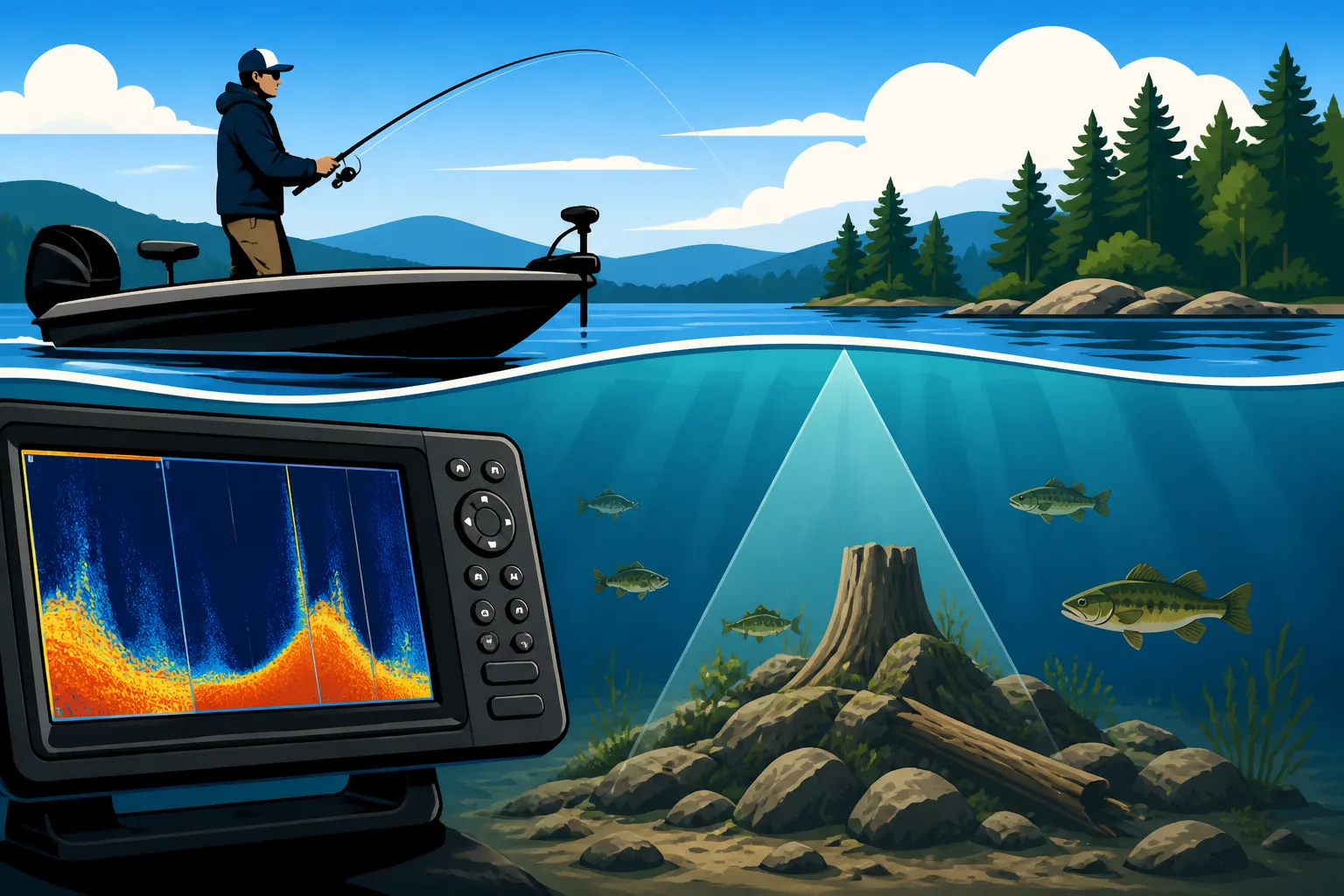
Your sonar unit works by sending sound waves into the water and listening for the echoes that bounce back. The frequency of these sound waves plays a huge role in what you see on your screen. Most traditional 2D sonar units operate on a few common frequencies:
- 200 kHz (Kilohertz): This is your high-frequency, narrow-cone beam. Think of it as a spotlight directly under your boat. It provides excellent detail and target separation, making it perfect for identifying individual fish, distinguishing fish from the bottom, and getting a clear picture of structure in shallower to medium depths (say, up to 100 feet). When you're trying to pick out a small rock pile or a single submerged log in 30 feet of water, the 200 kHz frequency is your best friend. However, its narrow cone means it covers less area, so you might miss things just outside its beam.
- 83 kHz: This frequency offers a wider cone angle compared to 200 kHz, giving you broader coverage of the water column directly beneath your boat. It’s a great all-around frequency for general searching in medium depths (up to about 200 feet). While it doesn't provide the same hyper-detailed image as 200 kHz, it helps you spot structure and fish over a larger area more quickly. Many units will run both 200 kHz and 83 kHz simultaneously, or allow you to split-screen them, giving you a balance of coverage and detail.
- 50 kHz: When you venture into the really deep basins of Winnipesaukee, like those areas where you might find lake trout suspended far below, 50 kHz comes into its own. This is a low-frequency, very wide-cone beam designed for deep water penetration. It sacrifices detail and target separation for depth capability and a vast coverage area. You won't see individual fish as clearly, but you'll get a good sense of the overall bottom contour and any large schools of baitfish or bigger fish that are deep. If you're targeting lake trout in 150+ feet of water, this frequency is invaluable for understanding the thermocline and general bottom composition.
Understanding these frequencies allows you to select the right tool for the job. For specific target identification, stick with 200 kHz. For broader searches in moderate depths, 83 kHz is effective. And for deep-water exploration, 50 kHz is essential.
The Role of Transducers
Your sonar unit is only as good as its transducer. This is the unsung hero, the part that actually sends and receives the sound waves. Think of it as the eyes and ears of your sonar system. A high-quality transducer is crucial for getting clear, accurate readings, especially on a lake like Winnipesaukee with its diverse and often challenging underwater terrain.
There are several types of transducers, each with its own advantages:
- Transom Mount: These are the most common and easiest to install, attaching to the back of your boat's transom. They work well for most boats and provide good performance. Just make sure it's mounted correctly to avoid turbulence interference.
- Thru-Hull: These transducers are installed through a hole drilled in the bottom of your boat. They offer the cleanest signal because they are directly in the water, avoiding transom turbulence. This is often the preferred choice for serious anglers and larger boats, especially for deep-water fishing where signal clarity is paramount.
- In-Hull (Shoot-Thru): These transducers are epoxied to the inside of a fiberglass hull, shooting the signal right through the boat's material. They are convenient as they don't require drilling through the hull, but you do lose some signal strength and detail compared to thru-hull or transom mounts. They work best on solid fiberglass hulls without coring.
The placement of your transducer is also critical. If it's too high, it might come out of the water at speed, causing signal loss. If it's in turbulent water (like behind strakes or prop wash), you'll get a lot of clutter and a poor image. Taking the time to ensure proper transducer installation and calibration will dramatically improve your sonar's performance. Without a good signal from the transducer, even the most expensive sonar unit and the perfect settings won't give you the clear picture you need to find the Best deep water structure spots on Winnipesaukee.
Essential Sonar Settings for Pinpointing Structure
Once you understand the basics of frequencies and transducers, it's time to dive into the settings that really allow you to dial in your view of Winnipesaukee’s underwater world. These aren't set-it-and-forget-it parameters; they require constant adjustment based on depth, water conditions, and what you're trying to find.
Sensitivity and Gain: Finding the Sweet Spot
Sensitivity (often called gain on some units) is arguably the most critical setting on your sonar. It controls how strongly your unit amplifies the returning sound waves. Too little sensitivity, and faint echoes from smaller fish or subtle structure will simply disappear from your screen. Too much, and your screen will be cluttered with noise, making it impossible to distinguish targets.
Think of it like adjusting the volume on a radio. Too low, and you can't hear the music. Too high, and it's distorted static. Your goal is to find that "sweet spot."
- Starting Point: A good rule of thumb is to start with your sensitivity high and gradually reduce it. Increase it until you start seeing a lot of clutter and interference (often appearing as random dots or lines). Then, slowly decrease it until that clutter just disappears, leaving you with a clean, detailed image. This way, you ensure you’re picking up the faintest signals without overwhelming the screen.
- Manual vs. Automatic: Most modern fish finders, including those you might find on Amazon, have automatic sensitivity settings. While these are convenient, they often err on the side of caution, reducing sensitivity too much to prevent clutter. For serious structure fishing on Winnipesaukee, manually adjusting your sensitivity will almost always give you a clearer and more informative picture. Don't be afraid to override the "auto" button.
- On the Water Adjustments: Sensitivity isn't a one-and-done setting. It needs to be adjusted as you move through different depths or encounter changing water conditions. If you go from a sandy flat to a rocky area, or from 20 feet of water to 80 feet, you'll likely need to tweak it. The clearer your screen, the better your chances of identifying distinct features like a small rock pile or a submerged tree limb. This constant adjustment is key to successfully reading the bottom.
Range and Zoom: Focusing Your View
These settings allow you to control the depth displayed on your screen and magnify specific areas, bringing crucial details into focus.
- Depth Range: Setting the appropriate depth range is fundamental. If you're fishing in 40 feet of water but your range is set to 200 feet, your targets will appear tiny and compressed at the top of the screen, making them hard to interpret. Conversely, if your range is set too shallow, you'll constantly be "bottoming out" the screen. Adjust your range so the bottom is clearly visible, taking up a good portion of your display, but still allowing you to see the water column above it for suspended fish or bait.
- Zoom: This is where things get really interesting for structure fishing. Zoom allows you to magnify a specific portion of the water column.
- Bottom Lock Zoom: Many units offer a "bottom lock" feature that effectively zooms in on the bottom portion of your display, regardless of depth changes. This is invaluable for seeing subtle changes in bottom hardness or small pieces of structure right on the lakebed.
- Manual Zoom: You can also manually zoom into any specific depth range. For example, if you know fish are suspending between 30 and 50 feet, you can zoom in on just that section of the water column, making fish targets much larger and easier to identify.
- Split-Screen Views: Utilizing a split-screen display is highly recommended on Winnipesaukee. You can run one side with a full-depth range and the other side zoomed in on the bottom or a specific depth range. This gives you both a broad overview and a detailed inspection simultaneously, allowing you to react quickly to what you see.
Chart Speed and Color Palettes
Beyond sensitivity and zoom, these visual settings can significantly impact your ability to interpret sonar data.
- Chart Speed: This dictates how quickly the sonar history scrolls across your screen.
- Slow Speed: A slower chart speed compresses the history, showing you a wider area over time but potentially making smaller details less distinct. This is good for general cruising and searching.
- Fast Speed: A faster chart speed stretches out the history, providing a more detailed, real-time look at what's directly beneath your boat. This is ideal when you're slowly drifting or idling over a specific piece of structure, trying to analyze it precisely. If you're looking for Best deep water structure spots on Winnipesaukee, a faster chart speed when you're moving slowly over a promising area can reveal subtle contours and fish hidden within them. Experiment with different speeds to find what works best for your current boat speed and fishing style.
- Color Palettes: Your sonar unit uses different colors to represent the strength of the returning sonar signal. Stronger signals (like a hard rock bottom or a dense school of fish) might appear as bright red or orange, while weaker signals (like soft mud or a single fish arch) might be blue, green, or yellow.
- Experimentation is Key: Different anglers prefer different color palettes, and some palettes work better in certain lighting or water conditions. Spend some time cycling through your unit's available color schemes. You'll often find one that makes fish arches pop, or distinguishes bottom hardness more clearly, which is critical for How to Catch Smallmouth Bass in New Hampshire Lakes. A hard bottom (indicated by a thicker, brighter bottom line) suggests rock, gravel, or sand, often preferred by bass. A soft bottom (thinner, less intense line) indicates mud or silt. Some units even show a "bottom hardness" reading, but visually interpreting the color and thickness of the bottom return is a skill worth developing.
Advanced Sonar Features for Winnipesaukee Structure Identification
While traditional 2D sonar is powerful, modern fish finders offer advanced technologies that take structure identification to a whole new level, making them indispensable on a lake as diverse as Winnipesaukee.
Down Imaging and Side Imaging: A Game Changer
These technologies provide picture-like views of the underwater world, dramatically improving your ability to identify structure.
- Down Imaging (DI): Imagine looking at a black-and-white photograph of the bottom directly beneath your boat. That's essentially what Down Imaging delivers. Instead of traditional sonar arches, you see incredibly detailed, almost photographic images of submerged objects. This is fantastic for identifying:
- Submerged Trees and Brush Piles: You can clearly see individual limbs and branches.
- Rock Piles and Ledges: The contours and textures are much more defined than with 2D sonar.
- Bridge Pilings, Docks, and Cribs: You get a precise image of man-made structures.
If you're targeting largemouth bass around docks or smallmouth relating to isolated rock piles, Down Imaging helps confirm what's there and precisely where fish might be positioned within that structure. This becomes invaluable when combined with your Best Tackle for New Hampshire Smallmouth Bass to hit those specific targets.
- Side Imaging (SI): This is perhaps the most revolutionary advancement for covering large bodies of water like Winnipesaukee. Side Imaging sends out thin, high-frequency beams to the sides of your boat, covering a wide swath of water (often 100-200 feet or more on each side, depending on your unit and frequency). This allows you to:
- Scan Vast Areas Quickly: Instead of just seeing what's directly under you, you can literally "see" to the left and right, dramatically increasing your search efficiency for structure.
- Locate Humps, Reefs, and Points: You can easily spot underwater points extending from islands, submerged humps, or hidden reefs that you might have missed with traditional 2D sonar.
- Identify Transition Zones: Side Imaging excels at showing changes in bottom composition, like where a hard, rocky bottom transitions to soft mud, which are prime areas for many species.
- Find Isolated Cover: Spotting individual boulders, clumps of weeds, or logs away from the boat becomes incredibly easy.
Imagine cruising along a shoreline or over a large flat on Winnipesaukee, and instead of just a narrow line below, you're seeing hundreds of feet of lake bottom unroll on either side of your boat, revealing all its hidden gems. This is a game-changer for finding new spots, especially for Lake Winnipesaukee Smallmouth Bass Fishing.
Many high-end fish finders available on Amazon integrate all these technologies into one unit, often with crystal-clear displays that make interpretation much easier.
Interpreting Sonar Readings: Beyond the Arch
Getting a good image is one thing; understanding what you're looking at is another. Learning to interpret your sonar screen is a skill that develops with practice.
- Identifying Structure Types:
- Rock Piles/Ledges: On 2D sonar, these show up as sharp, distinct bumps with a strong, often brighter bottom return directly underneath them, indicating hardness. On Down Imaging, they look like actual piles of rocks.
- Submerged Timber/Brush: On 2D, these often appear as "fuzzy" humps or spires extending up from the bottom, with weaker returns (because wood isn't as dense as rock). Down Imaging will give you a clear, almost X-ray view of individual branches.
- Weed Beds: These show up as softer, often irregular-shaped patches rising from the bottom, with varying densities depending on the type of vegetation.
- Humps/Bumps: These are distinct rises in the bottom contour, easily spotted on 2D and even more clearly defined with Side Imaging, especially when you can see their shadows.
- Differentiating Fish from Structure: While fish arches are the classic sign of fish, sometimes a school of fish hugging the bottom can look like part of the structure on 2D sonar, especially if your sensitivity isn't perfectly tuned.
- Fish Arches: A classic, clean arch indicates a fish passing through the sonar cone. A "half arch" means it entered or exited the cone.
- Schools of Fish: These appear as dense clouds or blobs, often with individual arches within them. Pay close attention if these schools are near structure – that's often a key feeding area. Baitfish schools often appear as dense, almost solid clouds.
- Hardness vs. Softness: Structure will consistently show a harder return than fish. Using your color palette to identify signal strength helps here.
- Ground Truthing: The best way to learn your sonar is to "ground truth" what you see. If you mark a distinct rock pile on your screen, drop a marker buoy, then try fishing it. If you catch fish, you've confirmed your interpretation. Sometimes, idling back over the spot at different angles or even dropping an underwater camera (if the water is clear enough) can provide invaluable learning experiences. This is how you really build confidence in your ability to read the screen.
Integrating GPS and Mapping for Structure Fishing
Modern fish finders are more than just sonar units; they are integrated navigation and mapping systems. Leveraging these features is paramount for efficient structure fishing on a large lake like Winnipesaukee.
- Pre-loaded Mapping: Most quality fish finders come with highly detailed, pre-loaded contour maps (often from companies like Navionics or LakeMaster). These maps are your starting point for identifying potential structure. Look for:
- Sharp Depth Changes: Steep drop-offs, ledges, and channels.
- Submerged Humps and Islands: Areas where the contour lines are tightly packed or show distinct rises in the middle of a flat.
- Points and Bays: Areas where contours extend out into the lake or form protected inlets.
Use these maps to plan your attack and identify areas worth exploring with your sonar.
- Marking Waypoints: This is a crucial habit to develop. Whenever you find a piece of structure or a school of fish on your sonar that looks promising, immediately mark a waypoint. Give it a descriptive name (e.g., "Rock Pile 60ft," "Salmon Hump," "Bass Ledge"). This allows you to return to that exact spot again and again, saving you countless hours of searching. Your unit will store these waypoints, allowing you to build a personal "honey hole" map of Winnipesaukee.
- Creating Tracks: Your GPS also records your boat's track. This is useful for revisiting successful trolling passes or for systematically covering an area. If you find a good Lake Winnipesaukee Lake Trout Fishing spot, saving the track you trolled can help you replicate that success.
- Overlaying Sonar with Maps: Many units allow you to overlay your sonar readings directly onto your map display. This gives you a real-time visual of your boat's position relative to the contour lines and any structure you're seeing, making navigation and pinpointing much more intuitive. For example, if you're trying to find a specific underwater hump on the map, seeing its actual sonar return simultaneously confirms you're in the right place and gives you a visual of the fish on it. Consider getting a dedicated marine GPS unit, or an integrated unit that combines both, which you can often find at competitive prices on Amazon.
By combining your detailed contour maps with the real-time, high-definition data from your sonar, you transform your fish finder into a powerful structure-locating machine, giving you a significant edge on the water. For more information on fishing times, check out New Hampshire Fishing Seasons by Month.
Here's a quick reference table for sonar frequencies and their typical applications on Winnipesaukee:
| Sonar Frequency | Typical Depth Range | Cone Angle | Best For | Ideal Use Case on Winnipesaukee |
|---|---|---|---|---|
| 200 kHz | Shallow to Medium | Narrow | Detail, Target Separation, Individual Fish | Shallow rock piles, specific submerged logs for bass; detailed viewing of bottom in 0-100 ft |
| 83 kHz | Medium to Deep | Wide | Broad Coverage, General Searching | All-around view for cruising, spotting larger structure and schools of fish in 50-200 ft |
| 50 kHz | Very Deep | Very Wide | Deep Water Penetration, Large Coverage | Targeting lake trout in deep basins (150+ ft), understanding thermoclines and large schools of baitfish |
| Down Imaging | Shallow to Medium | Thin Fan | Photographic View, Structure Identification | Confirming rock piles, brush, docks, identifying specific features on the bottom |
| Side Imaging | Shallow to Deep | Wide Fan | Scanning Large Areas, Finding Isolated Cover | Searching vast flats for humps, reefs, points, finding hidden structure far from the boat |
Ultimately, becoming proficient with your sonar on Lake Winnipesaukee is about practice and patience. Don't be afraid to adjust settings, try different views, and spend time simply driving around and observing what your unit shows you. The more you use it, the better you'll become at translating those pixels into productive fishing spots. Remember to keep an eye on your boat's registration status; you can learn more about New Hampshire Boat Registration Requirements to stay compliant. Understanding factors like What water temperature smallmouth bass prefer and What water temperature lake trout prefer will also significantly enhance your fishing success as you learn to locate these thermal preferences with your sonar. For anyone starting out, a good Best Fish Finders for New Hampshire Lakes might be a great place to start looking for units that combine these features.
Disclaimer
This article is for general informational purposes only and does not constitute professional advice. Laws, prices and regulations vary by location and change over time. Consult a qualified professional for guidance on your specific situation.